

Technology symbols are visual icons, signs, or graphics that represent digital functions, tools, or concepts in modern technology.
In short, they help users quickly understand actions like saving, sharing, or connecting without reading long instructions.
These symbols are everywhere from smartphones to computers and make technology easier to use for everyone.
In today’s fast-paced digital age, technology symbols play a vital role in communication, usability, and design. Let’s explore them in detail.
What Are Technology Symbols?
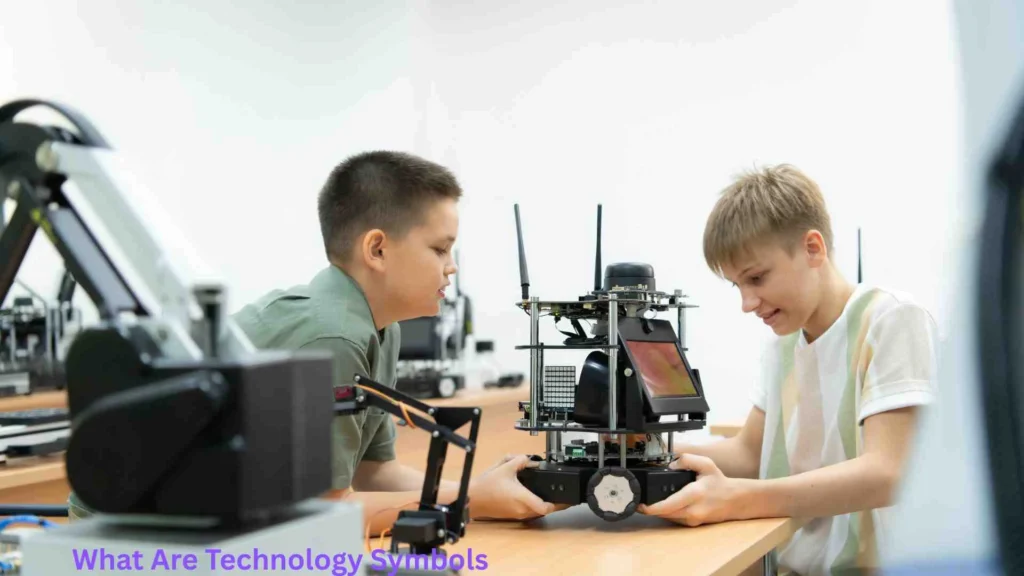
Technology symbols are visual representations used in digital devices, software, and online platforms. Instead of words, these symbols communicate actions or meanings quickly and clearly.
Key Features of Technology Symbols
- Simple and easy to recognize
- Universally understood across languages
- Used in apps, websites, and devices
- Designed for quick interaction
For example:
- A magnifying glass means search
- A trash bin means delete
- A gear icon means settings
History of Technology Symbols
Technology symbols did not appear overnight. They evolved over time as technology developed.
Early Beginnings
In the early days of computing:
- Interfaces were text-based
- Commands had to be typed manually
Introduction of Icons
With graphical user interfaces (GUIs):
- Icons replaced text commands
- Computers became user-friendly
Modern Evolution
Today:
- Symbols are minimal and sleek
- They follow global design standards
- Used across smartphones, tablets, and wearables
Common Technology Symbols and Their Meanings
Understanding these symbols can improve your digital experience.
Basic Symbols
- Power Button (⏻) – Turn device on/off
- Wi-Fi Symbol – Internet connectivity
- Bluetooth Symbol – Wireless connection
Navigation Symbols
- Home Icon – Go to main screen
- Back Arrow – Return to previous page
- Menu (☰) – Open options
File and Action Symbols
- Save (💾) – Store data
- Upload (⬆️) – Send data online
- Download (⬇️) – Receive data
Why Technology Symbols Are Important
Technology symbols are not just design elements—they are essential tools.
Benefits of Using Technology Symbols
- Faster communication
- Easy understanding for all users
- Supports multiple languages
- Improves user experience
They help both beginners and experts navigate digital systems easily.
Technology Symbols in Everyday Life
You interact with technology symbols every day without realizing it.
Examples in Daily Use
- Smartphones (apps, settings, notifications)
- Social media platforms
- ATMs and banking apps
- Smart home devices
Real-Life Scenario
When you see a battery icon, you instantly know your device needs charging—no explanation needed.
Technology Symbols in User Interface (UI) Design
UI designers rely heavily on symbols to improve usability.
Role in UI Design
- Reduce text clutter
- Enhance visual appeal
- Improve navigation
Design Principles
- Simplicity
- Consistency
- Clarity
A well-designed symbol can replace long instructions.
Popular Technology Symbols Explained
The Cloud Symbol
Represents:
- Online storage
- Data backup
- Cloud computing
The Share Symbol
Represents:
- Sending content
- Sharing files or links
The Search Icon
Represents:
- Finding information quickly
Technology Symbols in Mobile Applications
Mobile apps use symbols to create smooth user experiences.
Examples
- Camera icon for photos
- Bell icon for notifications
- Heart icon for likes
Why They Matter
- Save screen space
- Improve accessibility
- Make apps intuitive
Technology Symbols in Computer Systems
Computers use symbols for system functions.
Examples
- Folder icon – Organize files
- Recycle bin – Deleted items
- Task manager icons
These symbols help users manage data efficiently.
Technology Symbols in Web Design
Websites use symbols to guide users.
Common Website Symbols
- Hamburger menu (☰)
- Shopping cart icon
- Login/profile icon
Impact on Users
- Faster navigation
- Better user engagement
- Improved conversions
Technology Symbols in Social Media
Social media platforms rely heavily on symbols.
Popular Symbols
- Like (👍)
- Comment (💬)
- Share (↗️)
These symbols simplify interaction and communication.
Cultural Influence on Technology Symbols
Although many symbols are universal, culture can affect interpretation.
Examples
- Colors may have different meanings
- Icons may vary slightly by region
Designers must consider global audiences.
Technology Symbols and Accessibility
Accessibility is an important aspect of symbol design.
How Symbols Help
- Assist people with language barriers
- Support users with disabilities
Best Practices
- Use clear icons
- Add labels when needed
- Maintain contrast
Technology Symbols in Education
Technology symbols are widely used in learning platforms.
Examples
- Play button for videos
- Quiz icons
- Progress bars
Benefits for Students
- Easy navigation
- Better understanding
- Interactive learning
Technology Symbols in Business
Businesses use symbols for branding and communication.
Examples
- Company logos
- App icons
- Digital dashboards
Impact
- Build brand identity
- Improve communication
- Enhance professionalism
Technology Symbols in Communication
Symbols make communication faster and more effective.
Examples
- Emojis
- Status icons
- Messaging indicators
They reduce the need for long text messages.
Technology Symbols and Digital Literacy
Understanding symbols is part of digital literacy.
Why It Matters
- Helps users navigate technology
- Improves efficiency
- Reduces confusion
Students and professionals benefit equally.
Technology Symbols in Gaming

Gaming uses symbols extensively.
Examples
- Health bars
- Map icons
- Action buttons
These symbols help players react quickly.
Technology Symbols in Artificial Intelligence
AI systems also use symbols for interaction.
Examples
- Voice assistant icons
- Chatbot indicators
They make AI tools user-friendly.
Technology Symbols in Smart Devices
Smart devices depend on symbols for control.
Examples
- Temperature icons
- Power indicators
- Connectivity symbols
These simplify device management.
Technology Symbols and Minimalism
Modern design favors minimal symbols.
Features
- Clean look
- Simple shapes
- Less clutter
Minimalism improves usability and aesthetics.
Technology Symbols vs Text
Symbols and text serve different purposes.
Comparison
| Feature | Symbols | Text |
| Speed | Fast | Slower |
| Clarity | Visual | Detailed |
| Universality | High | Limited |
Best designs combine both.
Challenges of Technology Symbols
Despite benefits, there are challenges.
Common Issues
- Misinterpretation
- Overuse of icons
- Lack of standardization
Designers must balance simplicity and clarity.
Future of Technology Symbols
Technology symbols will continue evolving.
Trends
- Animated icons
- Voice-based symbols
- AR/VR interfaces
Future symbols may be interactive and dynamic.
Practical Applications of Technology Symbols
In Daily Life
- Navigation apps
- Banking apps
- E-commerce
In Professional Fields
- IT systems
- Medical software
- Engineering tools
They improve efficiency and reduce errors.
Impact of Technology Symbols on Society
Technology symbols have a major social impact.
Positive Effects
- Global communication
- Faster learning
- Inclusive design
Economic Impact
- Boost digital businesses
- Improve productivity
Interesting Facts About Technology Symbols
- The save icon (💾) is based on floppy disks
- The hamburger menu was created in the 1980s
- Many symbols are standardized globally
Tips to Understand Technology Symbols Better
- Observe icons in apps
- Learn common meanings
- Practice using digital tools
How Designers Create Technology Symbols
Steps
- Research user needs
- Sketch ideas
- Test usability
- Refine design
User feedback is essential.
Technology Symbols in Different Industries
Healthcare
- Medical device icons
Finance
- Banking symbols
Transportation
- Navigation icons
Each industry uses symbols differently.
Technology Symbols and Branding
Symbols are powerful branding tools.
Examples
- App logos
- Website icons
They create recognition and trust.
Technology Symbols in Security
Security systems use symbols to alert users.
Examples
- Lock icon (secure)
- Warning signs
These symbols protect users from risks.
Technology Symbols and Innovation
Innovation drives new symbol creation.
Examples
- AI icons
- Blockchain symbols
New technologies need new visual representations.
FAQs About Technology Symbols
1. What are technology symbols?
Technology symbols are visual icons used to represent digital actions and functions.
2. Why are technology symbols important?
They make technology easier to use and understand quickly.
3. Are technology symbols universal?
Most are universal, but some may vary by culture.
4. Where are technology symbols used?
They are used in apps, websites, devices, and software.
5. How can I learn technology symbols?
By using digital tools regularly and observing common icons.
Conclusion
Technology symbols are an essential part of modern digital life. They simplify communication, improve usability, and make technology accessible to people worldwide.
From smartphones to advanced AI systems, these symbols help users interact efficiently without needing complex instructions.
As technology continues to evolve, technology symbols will become even more important, shaping how we connect, learn, and communicate in the digital world.

Elliot Kensington
Elliot Kensington is a storyteller at heart, always fascinated by the hidden corners of human imagination. From a young age, he found comfort in books and the worlds they created, inspiring him to craft tales that blend emotion, suspense, and wonder. His writing journey began with short stories that captured fleeting moments of life, and over time, evolved into novels that explore both the extraordinary and the everyday. Elliot believes that every story holds a piece of the soul, and his mission is to connect readers to those moments that linger long after the last page. When he’s not writing, he enjoys exploring nature, capturing moments through photography, and seeking inspiration in the little things.
Books by Elliot Kensington:
-
Shadows of Tomorrow
-
The Whispering Path